




Aspects to Keep In View While Installing CCTV Cameras at Home
An effective camera system is a deterrent to thieves, burglars, vandals and other unsavoury elements seeking entry into residential properties. Cameras also serve indoors, monitoring children, pets and domestic help. Before installation day, these are the practical details worth getting right.
Consider wireless units
Wireless systems suit homeowners still deciding on camera placement: units can be repositioned as needs change, such as moving a camera from indoor monitoring to front-door surveillance.
Name each camera
Attach a name to each camera in your CCTV software to avoid confusion. It makes viewing and managing the system dramatically easier as the camera count grows.
Plan camera placement
Cameras can be positioned indoors and outdoors, typically up to 100 metres from the base unit. Wireless systems give flexibility for yards, pools and sheds; ceiling mounts suit indoor cameras, while outdoor cameras need appropriate weatherproof mounting kits.
Position for detection
Position cameras at a height of around 7 feet and slant them downwards for optimum detection. Motion-tracking cameras work best mounted higher with wider angles.
Use internet connectivity
Modern systems let you view feeds from any web-connected device while away from home, worth configuring on day one.
Explore your system’s settings
Each brand offers customisable settings and modes; ten minutes in the configuration menu is the cheapest security upgrade you’ll ever make.
Or let the professionals handle it
A professional install gets placement, wiring and configuration right the first time. Our CCTV installation team covers all of Melbourne with free onsite quotes.
Why It’s a Good Idea To Get a Video Intercom Installed
Every property owner wants to make sure their premises are safe and secure at all times. Today’s market offers a huge range of CCTV, security and alarm systems, and one of the most practical upgrades is right at your front door: the video intercom.
Why opt for a video intercom system?
A video intercom differs from a standard intercom by letting you both hear and see visitors before you open the door.
- Safety at entry points: request identification and visually verify visitors before granting access.
- Crime prevention: far broader coverage than a peephole; assess potential threats from safety indoors and contact authorities if needed.
- Remote access: some advanced video intercom systems have remote functionality, with apps that let you access the video feed from any location in the world via your mobile device.
Professional installation matters
The right system depends on your property and entry configuration. Our team explains each option’s features, advantages and drawbacks, then installs to industry standard at cost-effective pricing, residential or commercial. Read more about our video intercom installations, or call 03 8609 6092 for advice.
Why Your Property Needs Security Systems
Today, there is no shortage of security devices on the market for commercial and residential properties alike. Owners can choose from basic alarm systems, security cameras, video intercoms and more sophisticated solutions, often combining several for comprehensive protection.
The benefits of security systems
- CCTV cameras act as a crime deterrent: criminals avoid properties with visible surveillance
- Commercial properties see reduced shoplifting and theft
- Employee-related theft decreases with surveillance in place
- Footage protects you against legal claims such as slip-and-fall lawsuits
Smart CCTV surveillance systems
Modern systems enable remote monitoring from any location. Whether you’re at work, interstate or overseas, you can check your premises from your phone: peace of mind that it is well protected, wherever you are.
Cost-effective installations
Do the research before selecting a system, or let us do it with you. We recommend equipment matched to your property and budget, install it to industry standards at competitive pricing, and back it with our workmanship guarantee.
Ready to protect what matters? Book a free onsite quote. Same-day or 24-hour service across Melbourne.
How Many Security Cameras Do You Need?
When choosing a system for a house or business property, one of the first questions is simple: how many cameras? As a general guide, average households run 2–6 cameras, while commercial enterprises typically need 16–64, with the exact number driven by property size and what you’re protecting.
Indoor security cameras
Indoor systems monitor activity inside your home (pets, family or caretakers) from wherever you are, and recorded film can be used as proof in case of theft or intrusion. Two-way audio lets you communicate through the camera as well.
Outdoor security cameras
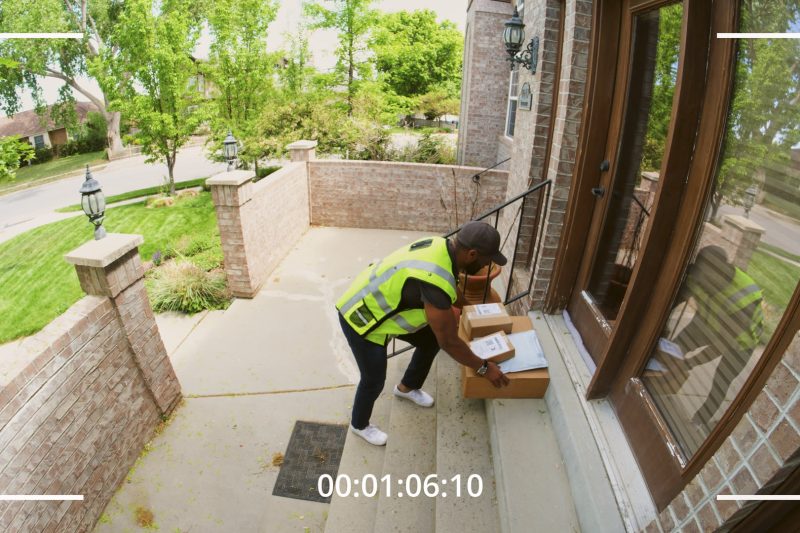
Outdoor cameras deter criminal activity through sheer visibility. They watch for unusual noise or movement outside your home late at night and keep an eye on packages and vehicles in the driveway.
A useful placement checklist
- 1 doorbell camera
- 2 cameras covering front and back yards
- 1 front gate camera
- 3 exterior cameras (one per remaining side)
- Hallway cameras for interior coverage
- Cameras for children’s rooms if desired
- Coverage for valuables or safe rooms
Deciding what’s right for you
It comes down to priorities: deterring outdoor theft calls for more exterior cameras; monitoring indoor activity calls for more interior ones. Larger properties and those holding valuables need more coverage. The fastest way to get it right is a free onsite assessment. We’ll map your property and recommend the exact count and placement.
Top 5 Common CCTV Problems and How to Fix Them
Understanding the issues that arise with your CCTV system can be challenging, so our team has compiled a guide to the five most common problems and how to work through them.
1. Verify camera connection and power
Check whether cables are damaged or the network is down. IP cameras have LED indicators that should illuminate when powered. Confirm the camera is plugged in and receiving adequate power. Pan-tilt-zoom cameras draw more than standard cameras and may need their own supply.
2. Discover and ping the camera
Find the camera’s IP address in your device directory, then use the command prompt to ping it and assess the connection. If you see “Request Timed Out” or “Destination Host Unreachable”, verify both devices are on the same network.
3. Check your username and password
If pinging succeeds but you still can’t connect, incorrect login credentials are the usual culprit. Consult your camera’s handbook to verify or reset the username and password.
4. Check ARP tables
Running multiple cameras? Make sure each has a unique IP address. Address clashes cause cameras to drop in and out of visibility.
5. Confirm there is no IP conflict
Duplicate IP addresses can prevent viewing footage from some or all cameras. Assign each device a distinct address and reserve them in your router where possible.
General maintenance steps
- Update system software regularly
- Reboot by powering off for 10–20 seconds
- Inspect cables for damage or kinks
- Attempt a factory reset if other steps fail
For persistent issues, our repair technicians cover the whole city. See CCTV repair areas or call 03 8609 6092.
Why Is It Necessary To Keep Your Bosch Alarm System Well Maintained?
When it comes to protecting a commercial establishment, Bosch alarm and CCTV systems are a staple. Beyond acting as a visible deterrent, they help identify suspects after an incident, but only if they’re actually working. Regular maintenance keeps your system effective. Here’s why it matters.
1. Regular cleaning
Dust and debris on lenses and housings impair image quality, quietly creating security blind spots. Scheduled cleaning keeps footage usable.
2. Managing old footage
Old footage should be backed up before deletion so potential evidence for investigations is preserved, and storage keeps recording without interruption.
3. Keeping systems up to date
Systems need current patches and compatibility updates, particularly when integrated with access control or burglar alarms. Outdated firmware is both a reliability and a security risk.
4. Replacing worn parts
Like all electronics, cameras and components deteriorate. Systematic maintenance catches failing parts before they take your coverage down with them.
5. Preventing failure
Regular servicing prevents failures caused by misconfigured settings, firmware issues or power surges: the faults you only discover when you needed the footage.
6. Footage for insurance
Insurance premiums can be reduced with regular CCTV maintenance, and many providers require periodic camera inspections to maintain coverage.
Keep your system watched over
Our technicians maintain and repair alarm and CCTV systems across Melbourne. See our alarm repair areas or book a service visit.
Most Popular CCTV Brands
Previously regarded as a luxury item, Closed Circuit Television technology is now one of the most widely used security tools worldwide. Roughly 770 million camera systems operate globally. Unauthorised entry, vandalism, break-ins and burglaries can all be monitored and deterred through CCTV.
Why install CCTV cameras?
Cameras deter crime before it happens, give you live visibility over your property from anywhere, and capture the evidence that matters when something does occur. For most Melbourne homes and businesses, they’re the single highest-impact security upgrade available.
The most popular CCTV brands
The brands we see leading the market for quality and reliability include:
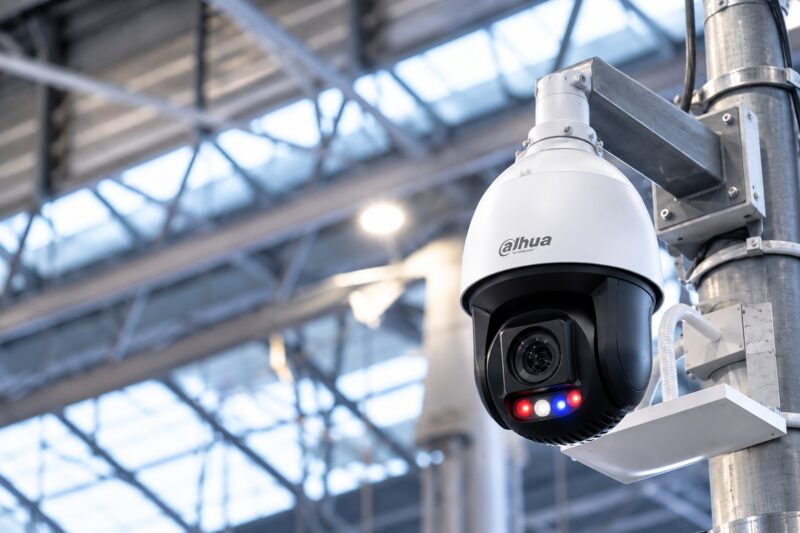
- Dahua
- Bosch
- Axis
- Hanwha
- Sony
- Techwin
- IDIS
- Honeywell
- Panasonic
- Hikvision
Common camera types
- Wireless models
- HD systems
- PTZ (pan-tilt-zoom) cameras
- Network/IP cameras
- Infrared / night vision
- Dome designs
- Day/night variants
- Bullet-type systems
- C-mount configurations
How to choose and why installation matters
The right brand and camera type depend on your property, lighting and risk areas. Just as important is the install itself: failing to follow the best security practices leaves you and your home or business vulnerable to dangers that can be easily avoided. Our licensed CCTV installers design and fit systems properly the first time, with same-day or 24-hour service across Melbourne.
How Do I Clear The Fault On A Bosch Alarm?
Getting a warning from your Bosch alarm panel? Most faults fall into four categories, and each can be identified directly from the keypad. Here’s how to diagnose and clear them.
1. RF low battery
This fault appears when the control panel receives a signal from an RF wireless device indicating a low battery. Press and hold key [2] until you hear two beeps. The display identifies which zone’s wireless sensor needs a battery replacement. Consult your equipment manual for the battery-changing procedure for that sensor.
2. Tamper fail
Triggered when a detector cover is removed and improperly reinstalled, commonly after a battery change. Press and hold key [3] for two beeps to locate the affected detector, then inspect the device and reseat its cover properly.
3. Sensor watch fault
A sensor watch fault is recorded when a motion sensor fails to detect any activity during disarmed periods, usually meaning it’s obstructed or failing. Hold key [4] for two beeps to pinpoint the zone. The fault clears once the sensor detects movement again.
4. Wireless sensor failed to check in
Occurs when an RF sensor hasn’t communicated with the control panel recently. Press and hold key [5] for two beeps to identify the device. The fault resolves when the sensor successfully transmits.
Still seeing the fault?
If the warning persists after these steps, the sensor or panel may need service. Call us on 03 8609 6092 or email sales@cctvmelb.com.au. Our technicians repair alarm systems across Melbourne.
How a High Quality Security System Benefits Your Business
Unsure whether investing in a high-end security system for your business is worth it? Quality equipment isn’t cheap, but it’s every bit worth the money and can protect a business from significant losses. Here are five ways it pays for itself.
1. Deterring theft
Visible security systems discourage criminals and shoplifters before anything happens, and when theft does occur, they let you identify the perpetrators, addressing both external and internal theft.
2. Insurance benefits
Insurance companies require businesses to provide adequate evidence when filing claims for accidents or thefts. CCTV documentation strengthens claims and often influences coverage eligibility and premium rates.
3. Preventing unauthorised entry
Access control restricts movement into sensitive areas, protecting confidential information, enforcing health and safety protocols, and keeping trespassers out of places they should never reach.
4. Saving money on repairs
Quality systems cost less in the long run. Cheaper equipment fails often and needs frequent repairs, ultimately costing more than a reliable, branded system installed properly the first time.
5. Fraud prevention
Security footage verifies claims around workplace injuries and false accusations, and its presence alone deters fraudulent activity.
Protect your business properly
A quality security system prevents losses through theft deterrence, fraud detection and compliance support. We recommend and install proven, branded solutions. Get a free onsite quote for your premises.
What Are the Different Types of Home Alarm Systems?
Homeowners planning to install reliable security solutions often struggle to choose the right kind of alarm for their properties. Each technology has distinct advantages and trade-offs, and choosing wisely starts with understanding what’s available.
1. Wired alarm systems
These straightforward systems rely on landline phone connections to transmit signals to monitoring centres. While functional and proven, they’re vulnerable to weather disruptions and physical wire tampering. A cellular backup is advised for reliability.
2. Wireless home alarm systems
Operating via radio frequency rather than phone lines, wireless systems use sensors with built-in transmitters. They can be managed remotely from your mobile device and integrate cleanly with smart home technology.
3. Electric current alarm systems
An economical, entry-level option that monitors entry points exclusively. Low-voltage electric circuits are installed in doors and windows, triggering the alarm when a circuit is broken by an opening.
4. Monitored home alarm systems
More expensive but highly effective, monitored systems use motion and auditory sensors and alert both you and the monitoring centre simultaneously, enabling rapid notification of authorities. Learn more about our 24 hour alarm monitoring.
5. Unmonitored home alarm systems
These produce only audible or visual alerts without contacting a monitoring centre. Their effectiveness depends entirely on someone nearby noticing the alarm and acting.
The bottom line
Home security ranges from a simple siren to sophisticated systems that alert authorities in real time. Whichever level you choose, professional installation by a qualified company ensures the system actually delivers the protection it promises. Talk to our team for advice matched to your property.