


Quick Summary
People use “CCTV” and “security cameras” interchangeably, but they mean different things. CCTV is the whole surveillance system — cameras, cables, recording hardware, and monitors — operating on a closed private network. A security camera is the physical device that captures footage. In practice, the more important distinction is between analogue CCTV systems (older, DVR-based) and modern IP camera systems (NVR-based, higher resolution, remote viewing). For most Melbourne homes and businesses, an IP camera system is the right choice in 2026. This guide explains exactly why, and what questions to ask before committing to any installation.
Walk into any conversation about home security and you will hear the terms “CCTV” and “security cameras” used as if they mean the same thing. In everyday language, they mostly do. In technical terms, they do not — and the distinction matters when you are making a purchasing decision that will sit on your property for a decade.
This guide is written by the team at CCTV Installation Melbourne, AFP-licensed installers with over 15 years of experience across homes and businesses throughout Melbourne. We get asked about the CCTV vs security camera question regularly. Here is an honest answer.
What Does CCTV Actually Mean?
CCTV stands for Closed Circuit Television. The “closed circuit” part is the key: it refers to a system where video is transmitted to a specific, defined set of monitors or recording devices on a private network — not broadcast publicly like a television station. The circuit is closed, meaning only authorised people can access the footage.
A traditional analogue CCTV system consists of:
- One or more cameras (analogue, connected via coaxial cable)
- A DVR (Digital Video Recorder) that encodes and stores footage
- Monitors for live viewing
- Power supply and cabling
This is the system you picture in old CCTV footage — grainy, low-resolution, often black and white. It is functional, but by today’s standards it is limited. Analogue cameras top out at around 1080p resolution. The coaxial cable runs are inflexible. Adding cameras means running new cable back to the DVR. Remote viewing is an afterthought, not a built-in feature.
The term “CCTV” has stuck around as shorthand for any video surveillance system — regardless of whether it is actually analogue. When a client calls us asking for a “CCTV installation,” they almost always end up with a modern IP camera system. The technology has moved on; the terminology has not.
What Is a Security Camera System?
A security camera is the physical device that captures and transmits video. The camera itself is a component of a larger system — it does not operate independently. What matters is what type of camera it is and how it connects to the recording and viewing infrastructure.
Modern security camera systems in Melbourne typically use IP cameras — networked cameras that transmit high-definition video as digital data over an ethernet cable or, in some cases, Wi-Fi. An IP camera system consists of:
- IP cameras (connected via ethernet, often Power over Ethernet or PoE)
- An NVR (Network Video Recorder) that stores footage locally
- A local network switch (for PoE systems)
- Remote viewing capability via smartphone app or web browser
- Optional integration with alarm systems, intercoms, or access control
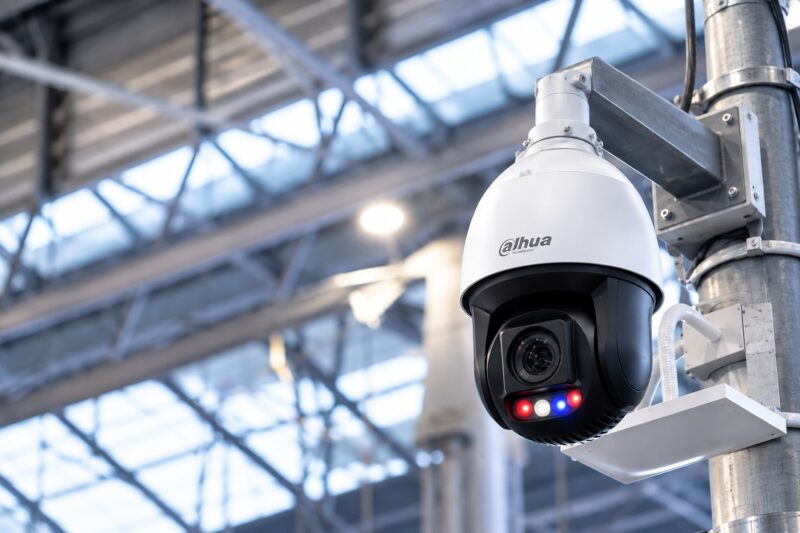
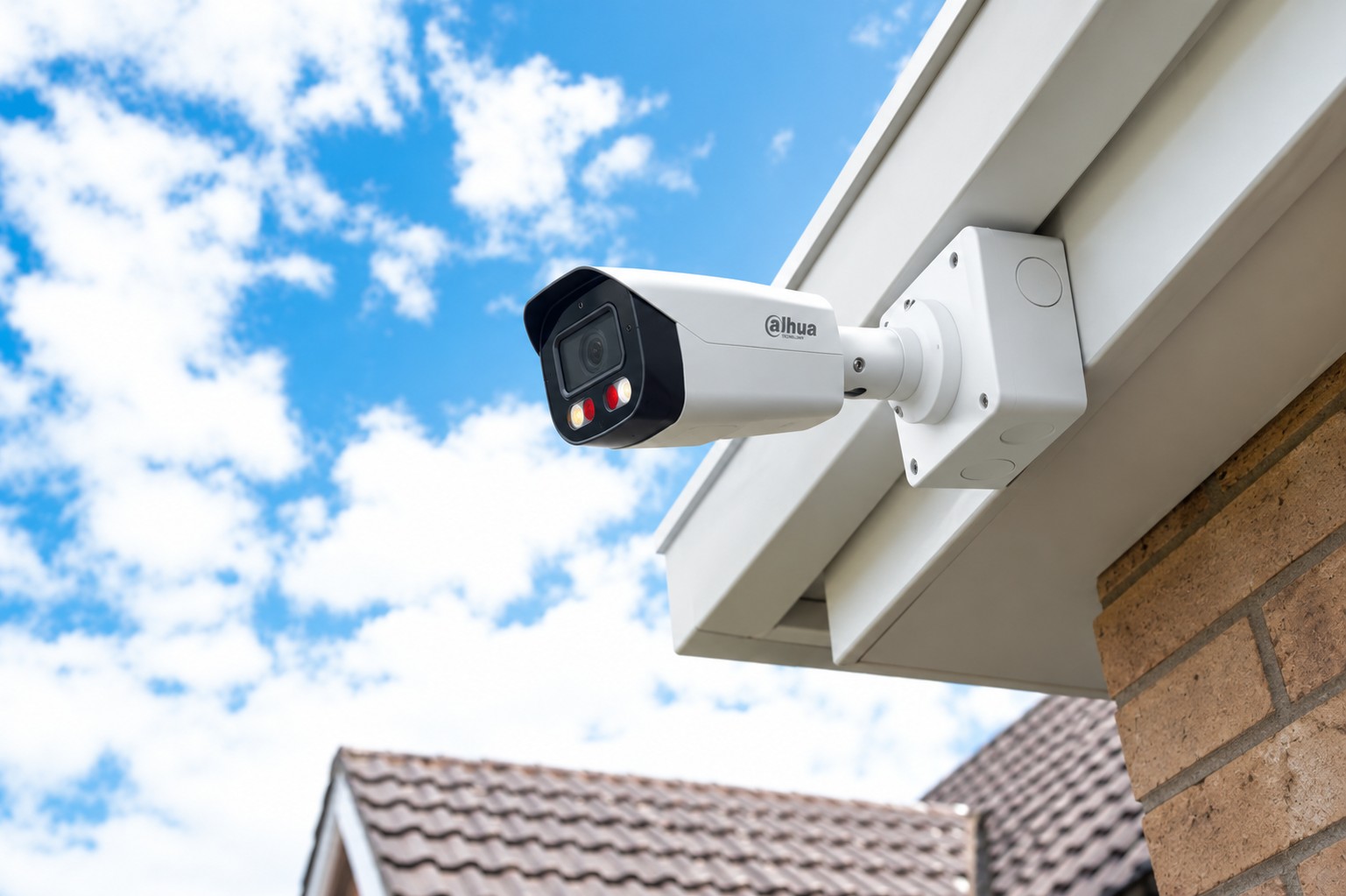
This is what a professional CCTV or security camera installation in Melbourne looks like in 2026. We primarily use Dahua IP cameras for residential and light commercial work — reliable 4K resolution, excellent low-light performance, and strong remote viewing app support. For properties that also need integrated alarm coverage, we use Bosch security systems, which allow a single control panel to manage both cameras and intrusion detection.
So What Is the Real Difference Between CCTV and Security Cameras?
In the way most people use the terms, there is very little difference. Both refer to a video surveillance system for a property. The practical distinction worth understanding is the one between analogue CCTV (DVR-based) and modern IP camera systems (NVR-based). Here is how they compare directly:
| Feature | Analogue CCTV (DVR) | IP Camera System (NVR) |
|---|---|---|
| Resolution | Up to 1080p (most legacy cameras lower) | 4K standard on current cameras |
| Cabling | Coaxial cable (bulkier, less flexible) | Ethernet cable (PoE — power and data in one) |
| Remote viewing | Limited, often requires extra setup | Built in, smartphone app standard |
| Scalability | Adding cameras requires new cable runs to DVR | Network switch allows easier expansion |
| Audio | Requires separate audio channel | Many cameras include built-in microphone |
| Smart features | Limited — motion detection only on some models | AI motion analytics, person/vehicle detection, facial recognition on higher-end models |
| Integration | Standalone, limited integration | Integrates with alarm systems, intercoms, access control |
| Cost (hardware) | Lower upfront | Slightly higher, but resolution and features justify it |
| Best for | Upgrading existing analogue systems on a budget | New residential and commercial installations in 2026 |
For new installations, we almost always recommend an IP camera system. The resolution alone — 4K versus legacy 720p or 1080p analogue — is worth the conversation. When you need to identify a face, read a number plate, or provide usable footage to Victoria Police, the difference between 4K and 720p footage is the difference between actionable evidence and a pixelated blur.
Do You Need CCTV or a Security Camera System? The Right Question to Ask
The more useful question is not “CCTV or security cameras?” — it is “what do I actually need this system to do?” The answer shapes every decision from camera count to recording format to whether you need alarm integration.
For Residential Properties in Melbourne
Most Melbourne homeowners want a system that:
- Covers the key entry and exit points (front door, rear yard, side access, garage)
- Records continuously, 24 hours, with enough local storage for 7 to 14 days of footage
- Allows remote viewing from a smartphone — to check in while away or review an alert
- Provides footage usable for an insurance claim or a police report if needed
A 4-camera IP system with a local NVR covers all of this for most homes on a standard Melbourne lot. Properties in suburbs with higher-density housing, laneway access, or corner block layouts may benefit from a 6 or 8-camera setup. You can read more about camera count considerations in our guide to how many security cameras you actually need.
For properties where break-in risk is elevated — whether due to suburb, property layout, or previous incidents — a camera system paired with a monitored alarm gives you both the deterrence of visible cameras and an active response when something happens. Our alarm system installation service and 24-hour alarm monitoring integrate directly with the camera systems we install.
A note on DIY security cameras: Consumer Wi-Fi cameras from hardware stores — Ring, Arlo, Eufy, and similar — are not the same as a professionally installed CCTV or IP camera system. They store footage to the cloud (an ongoing cost, and a single point of failure), use Wi-Fi connections that can be disrupted, and are designed for single-point monitoring rather than whole-property coverage. They have their uses. For a serious whole-property installation, they are the wrong tool.
For Commercial Properties in Melbourne
Commercial surveillance requirements are more complex than residential. Beyond covering entry points and car parks, businesses often need to consider:
- Internal coverage of cash handling areas, stock rooms, and reception
- Compliance requirements — licensed venues, childcare centres, aged care facilities, and financial services premises all face specific obligations around surveillance, retention, and access
- Staff safety and workplace incident documentation
- Integration with access control (which doors can be unlocked, by whom, and when)
- Multiple sites or remote monitoring from head office
A commercial CCTV installation is almost always a scoped project rather than an off-the-shelf package. Camera count, recording capacity, retention period, and monitoring arrangements all need to be specified before a quote can be accurate. Our team handles commercial security camera installations across Melbourne — contact us to arrange a site assessment.
Wired vs Wireless Security Cameras: Which Is Better?
This comes up constantly, and the honest answer is that for a whole-property installation, wired cameras connected via ethernet are the better choice in almost every situation.
Wireless cameras are attractive because they look easier to install. They can be in a permanent position for a basic monitoring setup. But for a serious security application, the limitations are significant:
- Wi-Fi interference: In dense urban areas like Melbourne’s inner suburbs — Carlton, Fitzroy, Richmond, Prahran — Wi-Fi spectrum congestion is a real issue. Camera dropouts during the exact moments you need them are a known failure mode of wireless systems.
- Jamming vulnerability: A Wi-Fi signal can be disrupted by a signal jammer, which is a known tactic used to disable wireless camera systems before a break-in. A wired ethernet connection cannot be jammed.
- Power dependency: Wireless cameras still need power. Battery-powered cameras need regular recharging or replacement. Most require a power cable even if the video signal is wireless — which reduces the “wireless” advantage considerably.
- Reliability over time: Ethernet connections simply do not drop out the way Wi-Fi connections do. For continuous 24-hour recording, a wired connection is the reliable foundation.
Yes, wired installations are more involved, particularly on double-brick homes common in Melbourne’s inner suburbs. But they are not impossible — an experienced installer knows how to route cables through roof cavities, conduit runs, and wall penetrations to deliver a clean, concealed result. If you have experienced difficulties or faults with an existing system, our CCTV repair and fault-finding service covers all of Melbourne.
What About Video Doorbells and Smart Home Cameras?
Smart home cameras — video doorbells, indoor pan-tilt cameras, battery-powered outdoor cameras — are a separate category from professional CCTV and IP camera installations. They are consumer devices designed for convenience and ease of setup, not security-grade reliability or compliance-level footage quality.
That does not make them useless. A video doorbell adds useful visibility at a front door. A smart indoor camera can give parents a view of a nursery or a second living area. But they are complementary to a professional installation, not a replacement for one. Combining a professional whole-property IP camera system with a video doorbell at the front entry is a common and sensible setup.
For properties that also need secure entry management — gates, doors, or communal access points — a home intercom or video intercom system integrates with your camera setup to give you visual confirmation before granting access.
Victorian Privacy Law and Security Cameras: What You Must Know
Wherever you position cameras on your Melbourne property, the Surveillance Devices Act 1999 (Vic) applies. The key points for residential installations:
- You cannot use optical surveillance devices to observe private activity without consent. Cameras positioned to capture a neighbour’s backyard, bedroom window, or any area where a person has a reasonable expectation of privacy are not permitted.
- Cameras covering your own property and incidentally capturing a public footpath are generally lawful — the public footpath is a public space. Cameras intentionally directed at public or neighbouring areas for the purpose of surveilling individuals are not.
- For businesses, the Office of the Victorian Information Commissioner (OVIC) provides guidance on signage, data retention, and access obligations for surveillance systems used in commercial settings.
A licensed installer will position cameras to maximise your coverage while keeping the installation legally compliant. This is one of the practical reasons AFP licensing matters — not just for the installation quality, but for the professional knowledge that comes with it.
AFP-licensed. 15+ years in Melbourne. Free on-site quotes across all suburbs.
How to Choose the Right Security Camera Setup for Your Melbourne Property
After explaining the technology, the terminology, and the legal framework, the question most people still have is: what should I actually get?
Here is a straightforward decision framework:
Start with the purpose
Are you trying to deter opportunistic break-ins, document a specific entry point, cover a large commercial premises, or meet an insurance or compliance requirement? Each answer leads to a different recommendation on camera count, resolution, storage, and whether you need alarm integration.
Consider your property
Construction type, lot size, number of access points, and whether you have an existing system all affect the installation approach and cost. A double-brick home in Carlton is a different job from a new-build in Cranbourne — both can be done well, but the cable routing strategy is completely different.
Think about storage and access
How many days of footage do you want to retain? Do you need remote access from a phone while travelling? Will you ever need to export footage for insurance or police purposes? These questions determine the NVR specification and storage capacity.
Get a site visit, not a phone quote
Any quote given over the phone or online — without an installer walking your property — is based on assumptions that almost always change once work begins. A proper site assessment takes 30 to 45 minutes and costs nothing. It is the only way to get an accurate scope and price.
You can also read our detailed guide to CCTV installation costs in Melbourne for a fuller picture of the pricing variables involved before you call.
Common Mistakes to Avoid When Buying a Security Camera System
After installing systems across Melbourne for over 15 years, these are the mistakes we see most often:
- Buying based on price alone. The cheapest cameras are cheap for a reason. Night vision performance, weather resistance, resolution under low-light conditions, and long-term reliability all vary dramatically across price points. A system that costs less upfront but fails in the rain or produces unusable footage at night is not a saving.
- Choosing wireless to avoid the installation hassle. The installation inconvenience of a wired system is a one-time event. The reliability drawbacks of a wireless system are ongoing. Do the job properly once.
- Not thinking about storage capacity upfront. A 4-camera 4K system generates significantly more data than a 4-camera 1080p system. If you specify cameras without specifying storage capacity, you may end up with a system that rolls over footage every 24 to 48 hours — far too short for most security purposes.
- Positioning cameras for appearance rather than coverage. Cameras placed for visual deterrence but not optimal coverage — pointing at the wrong angle, missing key zones, or obstructed by vegetation — provide less protection than they appear to. This is a common outcome of DIY installations and some less thorough professional jobs.
- Forgetting about maintenance. Cameras need to be kept clean, software updated, and storage health checked periodically. A system that has not been maintained in three years is often recording nothing useful, and the owner does not find out until they need footage. Our CCTV repair and maintenance service covers fault diagnosis, camera replacement, and system checks across Melbourne.
Ready to get the right system for your property? Free site visit. No obligation. All Melbourne suburbs.
Frequently Asked Questions: CCTV vs Security Cameras
What is the difference between CCTV and a security camera?
CCTV (Closed Circuit Television) is the whole surveillance system — cameras, cables, recording hardware, and monitors — operating on a private closed network. A security camera is the physical device that captures footage. In everyday use the terms are used interchangeably. The more useful distinction for a purchasing decision is between analogue CCTV (DVR-based, older technology) and modern IP camera systems (NVR-based, 4K, remote viewing built in). For new installations in Melbourne in 2026, an IP camera system is the right choice in almost every case.
Is CCTV better than security cameras for home use?
They are not competing options — the cameras are part of the CCTV or IP camera system. For most Melbourne homes, a modern IP camera system with a local NVR gives better resolution, more reliable remote access, and easier integration with alarm and intercom systems than a legacy analogue CCTV setup. CCTV Installation Melbourne will recommend the right system type based on your specific property and use case.
Can I use security cameras without a DVR or NVR?
Some consumer Wi-Fi cameras store footage to the cloud or an SD card without a dedicated recorder. These suit basic single-point monitoring, but they carry ongoing subscription costs, depend entirely on your internet connection, and are not security-grade for whole-property installations. For a multi-camera system with continuous recording, a dedicated NVR with local storage is the correct approach.
What does IP camera mean?
IP stands for Internet Protocol. An IP camera transmits video as digital data over a network connection — usually ethernet — rather than an analogue signal over coaxial cable. IP cameras support much higher resolutions than analogue cameras (4K is standard), can be powered over ethernet (PoE), and integrate naturally with NVRs for centralised recording. They are the technology behind professional Dahua CCTV cameras and most professional installations in Melbourne today.
Do security cameras work without the internet?
Yes. A professionally installed IP camera system records continuously to a local NVR without requiring an internet connection. The internet is only required for remote viewing on a smartphone or tablet. Local recording is the primary and most reliable storage method — it is not dependent on your ISP, a cloud service, or a subscription. Remote viewing is a useful add-on, not the foundation of the system.
Are wireless security cameras as reliable as wired CCTV?
For whole-property security installations, wired cameras connected via ethernet are more reliable. Wireless cameras are susceptible to Wi-Fi interference — a genuine issue in Melbourne’s inner suburbs — and can be disabled by a signal jammer. Wired systems are harder to install on double-brick homes, but the reliability advantage is significant for a security-grade installation. Consumer wireless cameras have their place for basic monitoring; a whole-property system should be wired. If you have an existing system with faults, our CCTV repair service covers all of Melbourne.
How many security cameras does a Melbourne home need?
Most Melbourne homes on a standard lot are well covered by a 4-camera system covering the front entry, rear yard, side access, and garage. Larger properties, corner blocks, and homes with multiple outbuildings may need 6 to 8 cameras. Read our detailed guide on how many security cameras you actually need for a fuller breakdown.
Can I get a free quote for security camera installation in Melbourne?
Yes. CCTV Installation Melbourne offers free, no-obligation on-site quotes across all Melbourne suburbs. Call 0425 197 771 or submit a quote request online to book a site visit.