




CCTV vs Security Cameras: What’s the Difference?
Quick Summary
People use “CCTV” and “security cameras” interchangeably, but they mean different things. CCTV is the whole surveillance system — cameras, cables, recording hardware, and monitors — operating on a closed private network. A security camera is the physical device that captures footage. In practice, the more important distinction is between analogue CCTV systems (older, DVR-based) and modern IP camera systems (NVR-based, higher resolution, remote viewing). For most Melbourne homes and businesses, an IP camera system is the right choice in 2026. This guide explains exactly why, and what questions to ask before committing to any installation.
Walk into any conversation about home security and you will hear the terms “CCTV” and “security cameras” used as if they mean the same thing. In everyday language, they mostly do. In technical terms, they do not — and the distinction matters when you are making a purchasing decision that will sit on your property for a decade.
This guide is written by the team at CCTV Installation Melbourne, AFP-licensed installers with over 15 years of experience across homes and businesses throughout Melbourne. We get asked about the CCTV vs security camera question regularly. Here is an honest answer.
What Does CCTV Actually Mean?
CCTV stands for Closed Circuit Television. The “closed circuit” part is the key: it refers to a system where video is transmitted to a specific, defined set of monitors or recording devices on a private network — not broadcast publicly like a television station. The circuit is closed, meaning only authorised people can access the footage.
A traditional analogue CCTV system consists of:
- One or more cameras (analogue, connected via coaxial cable)
- A DVR (Digital Video Recorder) that encodes and stores footage
- Monitors for live viewing
- Power supply and cabling
This is the system you picture in old CCTV footage — grainy, low-resolution, often black and white. It is functional, but by today’s standards it is limited. Analogue cameras top out at around 1080p resolution. The coaxial cable runs are inflexible. Adding cameras means running new cable back to the DVR. Remote viewing is an afterthought, not a built-in feature.
The term “CCTV” has stuck around as shorthand for any video surveillance system — regardless of whether it is actually analogue. When a client calls us asking for a “CCTV installation,” they almost always end up with a modern IP camera system. The technology has moved on; the terminology has not.
What Is a Security Camera System?
A security camera is the physical device that captures and transmits video. The camera itself is a component of a larger system — it does not operate independently. What matters is what type of camera it is and how it connects to the recording and viewing infrastructure.
Modern security camera systems in Melbourne typically use IP cameras — networked cameras that transmit high-definition video as digital data over an ethernet cable or, in some cases, Wi-Fi. An IP camera system consists of:
- IP cameras (connected via ethernet, often Power over Ethernet or PoE)
- An NVR (Network Video Recorder) that stores footage locally
- A local network switch (for PoE systems)
- Remote viewing capability via smartphone app or web browser
- Optional integration with alarm systems, intercoms, or access control
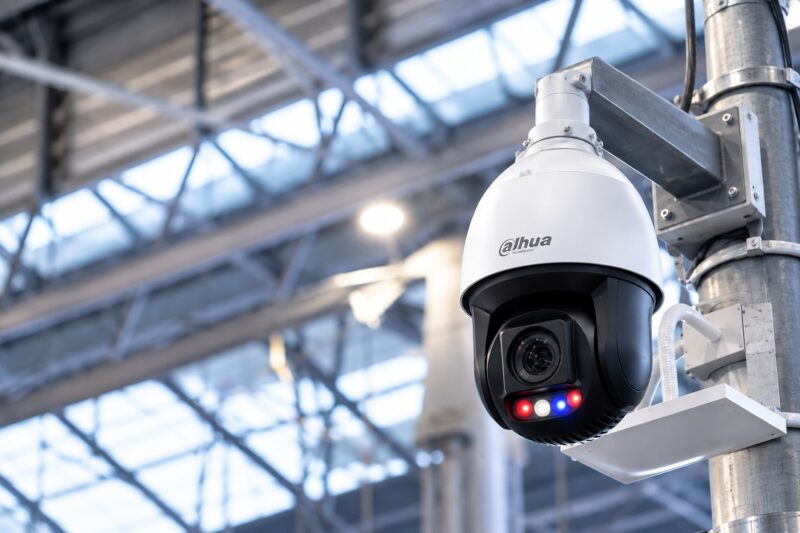
This is what a professional CCTV or security camera installation in Melbourne looks like in 2026. We primarily use Dahua IP cameras for residential and light commercial work — reliable 4K resolution, excellent low-light performance, and strong remote viewing app support. For properties that also need integrated alarm coverage, we use Bosch security systems, which allow a single control panel to manage both cameras and intrusion detection.
So What Is the Real Difference Between CCTV and Security Cameras?
In the way most people use the terms, there is very little difference. Both refer to a video surveillance system for a property. The practical distinction worth understanding is the one between analogue CCTV (DVR-based) and modern IP camera systems (NVR-based). Here is how they compare directly:
| Feature | Analogue CCTV (DVR) | IP Camera System (NVR) |
|---|---|---|
| Resolution | Up to 1080p (most legacy cameras lower) | 4K standard on current cameras |
| Cabling | Coaxial cable (bulkier, less flexible) | Ethernet cable (PoE — power and data in one) |
| Remote viewing | Limited, often requires extra setup | Built in, smartphone app standard |
| Scalability | Adding cameras requires new cable runs to DVR | Network switch allows easier expansion |
| Audio | Requires separate audio channel | Many cameras include built-in microphone |
| Smart features | Limited — motion detection only on some models | AI motion analytics, person/vehicle detection, facial recognition on higher-end models |
| Integration | Standalone, limited integration | Integrates with alarm systems, intercoms, access control |
| Cost (hardware) | Lower upfront | Slightly higher, but resolution and features justify it |
| Best for | Upgrading existing analogue systems on a budget | New residential and commercial installations in 2026 |
For new installations, we almost always recommend an IP camera system. The resolution alone — 4K versus legacy 720p or 1080p analogue — is worth the conversation. When you need to identify a face, read a number plate, or provide usable footage to Victoria Police, the difference between 4K and 720p footage is the difference between actionable evidence and a pixelated blur.
Do You Need CCTV or a Security Camera System? The Right Question to Ask
The more useful question is not “CCTV or security cameras?” — it is “what do I actually need this system to do?” The answer shapes every decision from camera count to recording format to whether you need alarm integration.
For Residential Properties in Melbourne
Most Melbourne homeowners want a system that:
- Covers the key entry and exit points (front door, rear yard, side access, garage)
- Records continuously, 24 hours, with enough local storage for 7 to 14 days of footage
- Allows remote viewing from a smartphone — to check in while away or review an alert
- Provides footage usable for an insurance claim or a police report if needed
A 4-camera IP system with a local NVR covers all of this for most homes on a standard Melbourne lot. Properties in suburbs with higher-density housing, laneway access, or corner block layouts may benefit from a 6 or 8-camera setup. You can read more about camera count considerations in our guide to how many security cameras you actually need.
For properties where break-in risk is elevated — whether due to suburb, property layout, or previous incidents — a camera system paired with a monitored alarm gives you both the deterrence of visible cameras and an active response when something happens. Our alarm system installation service and 24-hour alarm monitoring integrate directly with the camera systems we install.
A note on DIY security cameras: Consumer Wi-Fi cameras from hardware stores — Ring, Arlo, Eufy, and similar — are not the same as a professionally installed CCTV or IP camera system. They store footage to the cloud (an ongoing cost, and a single point of failure), use Wi-Fi connections that can be disrupted, and are designed for single-point monitoring rather than whole-property coverage. They have their uses. For a serious whole-property installation, they are the wrong tool.
For Commercial Properties in Melbourne
Commercial surveillance requirements are more complex than residential. Beyond covering entry points and car parks, businesses often need to consider:
- Internal coverage of cash handling areas, stock rooms, and reception
- Compliance requirements — licensed venues, childcare centres, aged care facilities, and financial services premises all face specific obligations around surveillance, retention, and access
- Staff safety and workplace incident documentation
- Integration with access control (which doors can be unlocked, by whom, and when)
- Multiple sites or remote monitoring from head office
A commercial CCTV installation is almost always a scoped project rather than an off-the-shelf package. Camera count, recording capacity, retention period, and monitoring arrangements all need to be specified before a quote can be accurate. Our team handles commercial security camera installations across Melbourne — contact us to arrange a site assessment.
Wired vs Wireless Security Cameras: Which Is Better?
This comes up constantly, and the honest answer is that for a whole-property installation, wired cameras connected via ethernet are the better choice in almost every situation.
Wireless cameras are attractive because they look easier to install. They can be in a permanent position for a basic monitoring setup. But for a serious security application, the limitations are significant:
- Wi-Fi interference: In dense urban areas like Melbourne’s inner suburbs — Carlton, Fitzroy, Richmond, Prahran — Wi-Fi spectrum congestion is a real issue. Camera dropouts during the exact moments you need them are a known failure mode of wireless systems.
- Jamming vulnerability: A Wi-Fi signal can be disrupted by a signal jammer, which is a known tactic used to disable wireless camera systems before a break-in. A wired ethernet connection cannot be jammed.
- Power dependency: Wireless cameras still need power. Battery-powered cameras need regular recharging or replacement. Most require a power cable even if the video signal is wireless — which reduces the “wireless” advantage considerably.
- Reliability over time: Ethernet connections simply do not drop out the way Wi-Fi connections do. For continuous 24-hour recording, a wired connection is the reliable foundation.
Yes, wired installations are more involved, particularly on double-brick homes common in Melbourne’s inner suburbs. But they are not impossible — an experienced installer knows how to route cables through roof cavities, conduit runs, and wall penetrations to deliver a clean, concealed result. If you have experienced difficulties or faults with an existing system, our CCTV repair and fault-finding service covers all of Melbourne.
What About Video Doorbells and Smart Home Cameras?
Smart home cameras — video doorbells, indoor pan-tilt cameras, battery-powered outdoor cameras — are a separate category from professional CCTV and IP camera installations. They are consumer devices designed for convenience and ease of setup, not security-grade reliability or compliance-level footage quality.
That does not make them useless. A video doorbell adds useful visibility at a front door. A smart indoor camera can give parents a view of a nursery or a second living area. But they are complementary to a professional installation, not a replacement for one. Combining a professional whole-property IP camera system with a video doorbell at the front entry is a common and sensible setup.
For properties that also need secure entry management — gates, doors, or communal access points — a home intercom or video intercom system integrates with your camera setup to give you visual confirmation before granting access.
Victorian Privacy Law and Security Cameras: What You Must Know
Wherever you position cameras on your Melbourne property, the Surveillance Devices Act 1999 (Vic) applies. The key points for residential installations:
- You cannot use optical surveillance devices to observe private activity without consent. Cameras positioned to capture a neighbour’s backyard, bedroom window, or any area where a person has a reasonable expectation of privacy are not permitted.
- Cameras covering your own property and incidentally capturing a public footpath are generally lawful — the public footpath is a public space. Cameras intentionally directed at public or neighbouring areas for the purpose of surveilling individuals are not.
- For businesses, the Office of the Victorian Information Commissioner (OVIC) provides guidance on signage, data retention, and access obligations for surveillance systems used in commercial settings.
A licensed installer will position cameras to maximise your coverage while keeping the installation legally compliant. This is one of the practical reasons AFP licensing matters — not just for the installation quality, but for the professional knowledge that comes with it.
AFP-licensed. 15+ years in Melbourne. Free on-site quotes across all suburbs.
How to Choose the Right Security Camera Setup for Your Melbourne Property
After explaining the technology, the terminology, and the legal framework, the question most people still have is: what should I actually get?
Here is a straightforward decision framework:
Start with the purpose
Are you trying to deter opportunistic break-ins, document a specific entry point, cover a large commercial premises, or meet an insurance or compliance requirement? Each answer leads to a different recommendation on camera count, resolution, storage, and whether you need alarm integration.
Consider your property
Construction type, lot size, number of access points, and whether you have an existing system all affect the installation approach and cost. A double-brick home in Carlton is a different job from a new-build in Cranbourne — both can be done well, but the cable routing strategy is completely different.
Think about storage and access
How many days of footage do you want to retain? Do you need remote access from a phone while travelling? Will you ever need to export footage for insurance or police purposes? These questions determine the NVR specification and storage capacity.
Get a site visit, not a phone quote
Any quote given over the phone or online — without an installer walking your property — is based on assumptions that almost always change once work begins. A proper site assessment takes 30 to 45 minutes and costs nothing. It is the only way to get an accurate scope and price.
You can also read our detailed guide to CCTV installation costs in Melbourne for a fuller picture of the pricing variables involved before you call.
Common Mistakes to Avoid When Buying a Security Camera System
After installing systems across Melbourne for over 15 years, these are the mistakes we see most often:
- Buying based on price alone. The cheapest cameras are cheap for a reason. Night vision performance, weather resistance, resolution under low-light conditions, and long-term reliability all vary dramatically across price points. A system that costs less upfront but fails in the rain or produces unusable footage at night is not a saving.
- Choosing wireless to avoid the installation hassle. The installation inconvenience of a wired system is a one-time event. The reliability drawbacks of a wireless system are ongoing. Do the job properly once.
- Not thinking about storage capacity upfront. A 4-camera 4K system generates significantly more data than a 4-camera 1080p system. If you specify cameras without specifying storage capacity, you may end up with a system that rolls over footage every 24 to 48 hours — far too short for most security purposes.
- Positioning cameras for appearance rather than coverage. Cameras placed for visual deterrence but not optimal coverage — pointing at the wrong angle, missing key zones, or obstructed by vegetation — provide less protection than they appear to. This is a common outcome of DIY installations and some less thorough professional jobs.
- Forgetting about maintenance. Cameras need to be kept clean, software updated, and storage health checked periodically. A system that has not been maintained in three years is often recording nothing useful, and the owner does not find out until they need footage. Our CCTV repair and maintenance service covers fault diagnosis, camera replacement, and system checks across Melbourne.
Ready to get the right system for your property? Free site visit. No obligation. All Melbourne suburbs.
Frequently Asked Questions: CCTV vs Security Cameras
What is the difference between CCTV and a security camera?
CCTV (Closed Circuit Television) is the whole surveillance system — cameras, cables, recording hardware, and monitors — operating on a private closed network. A security camera is the physical device that captures footage. In everyday use the terms are used interchangeably. The more useful distinction for a purchasing decision is between analogue CCTV (DVR-based, older technology) and modern IP camera systems (NVR-based, 4K, remote viewing built in). For new installations in Melbourne in 2026, an IP camera system is the right choice in almost every case.
Is CCTV better than security cameras for home use?
They are not competing options — the cameras are part of the CCTV or IP camera system. For most Melbourne homes, a modern IP camera system with a local NVR gives better resolution, more reliable remote access, and easier integration with alarm and intercom systems than a legacy analogue CCTV setup. CCTV Installation Melbourne will recommend the right system type based on your specific property and use case.
Can I use security cameras without a DVR or NVR?
Some consumer Wi-Fi cameras store footage to the cloud or an SD card without a dedicated recorder. These suit basic single-point monitoring, but they carry ongoing subscription costs, depend entirely on your internet connection, and are not security-grade for whole-property installations. For a multi-camera system with continuous recording, a dedicated NVR with local storage is the correct approach.
What does IP camera mean?
IP stands for Internet Protocol. An IP camera transmits video as digital data over a network connection — usually ethernet — rather than an analogue signal over coaxial cable. IP cameras support much higher resolutions than analogue cameras (4K is standard), can be powered over ethernet (PoE), and integrate naturally with NVRs for centralised recording. They are the technology behind professional Dahua CCTV cameras and most professional installations in Melbourne today.
Do security cameras work without the internet?
Yes. A professionally installed IP camera system records continuously to a local NVR without requiring an internet connection. The internet is only required for remote viewing on a smartphone or tablet. Local recording is the primary and most reliable storage method — it is not dependent on your ISP, a cloud service, or a subscription. Remote viewing is a useful add-on, not the foundation of the system.
Are wireless security cameras as reliable as wired CCTV?
For whole-property security installations, wired cameras connected via ethernet are more reliable. Wireless cameras are susceptible to Wi-Fi interference — a genuine issue in Melbourne’s inner suburbs — and can be disabled by a signal jammer. Wired systems are harder to install on double-brick homes, but the reliability advantage is significant for a security-grade installation. Consumer wireless cameras have their place for basic monitoring; a whole-property system should be wired. If you have an existing system with faults, our CCTV repair service covers all of Melbourne.
How many security cameras does a Melbourne home need?
Most Melbourne homes on a standard lot are well covered by a 4-camera system covering the front entry, rear yard, side access, and garage. Larger properties, corner blocks, and homes with multiple outbuildings may need 6 to 8 cameras. Read our detailed guide on how many security cameras you actually need for a fuller breakdown.
Can I get a free quote for security camera installation in Melbourne?
Yes. CCTV Installation Melbourne offers free, no-obligation on-site quotes across all Melbourne suburbs. Call 0425 197 771 or submit a quote request online to book a site visit.
CCTV Installation Cost Melbourne 2026: What Does It Actually Cost?
Quick Summary
CCTV installation cost in Melbourne depends on camera count, camera type, property construction, and installation complexity. A 4-camera residential system is a completely different job from a 16-camera commercial setup. There is no reliable way to get an accurate price without a site inspection — any online figure or phone estimate is missing the variables that matter most for your specific property. This guide explains what those variables are, what a professional quote should include, and what questions to ask before signing anything.
Search for CCTV installation pricing in Melbourne and you will find a wide spread of figures. Some are DIY kit prices that exclude labour entirely. Others are “from” prices built on assumptions about your property that may not apply. Very few explain what actually drives the difference between a straightforward job and a complex one.
This guide is written by the team at CCTV Installation Melbourne — AFP-licensed installers with over 15 years of experience across homes and businesses in Melbourne. We have priced thousands of jobs. The variables that move the price are well-understood, and we will walk you through all of them.
What Factors Actually Drive CCTV Installation Cost in Melbourne?
Two jobs with the same number of cameras can have very different costs. Here is what drives the difference:
1. Camera Count and Type
More cameras means more equipment, more cable, and more labour. But camera type matters just as much as camera count. A basic HD bullet camera sits at one end of the price range; a 4K varifocal dome or a PTZ (pan-tilt-zoom) unit capable of covering a large open area sits at the other. Higher-resolution cameras also require more storage capacity, which adds to the recording unit cost.
We primarily use Dahua CCTV cameras for residential and light commercial installations — they offer reliable 4K resolution, good low-light performance, and strong app support for remote viewing. For integrated alarm and CCTV setups, we use Bosch alarm systems, which allow a single panel to manage both your cameras and intrusion detection.
2. Property Construction Type
This is the most underappreciated cost factor. Cable routing through a standard brick veneer home is relatively straightforward — a technician can typically run cables through the roof cavity and drop them down internal walls. Double-brick and solid rendered homes are a different story. There is no cavity to work through, which means longer surface runs, more conduit, or more difficult drilling through thick masonry. Expect this to add time and cost to any quote on an older Melbourne home in suburbs like Fitzroy, Carlton, Richmond, or Brunswick.
3. Cable Run Length and Complexity
The further a camera is from the recording unit, the more cable is needed. On a standard lot that is manageable. On a large property with a detached garage, a rear shed, or cameras positioned on the back fence line, the cable runs add up fast. Two-storey homes also require longer vertical runs and occasionally elevated access equipment for roof-mounted or high-eave cameras.
4. Recording Unit: DVR vs NVR
A DVR (Digital Video Recorder) is used with analogue cameras and is the more affordable starting point for basic residential systems. An NVR (Network Video Recorder) is used with IP cameras, supports higher resolutions, and is the standard for any system requiring remote access, motion analytics, or integration with alarm systems. The right choice depends on your existing setup and what you want the system to do — we will always recommend the unit that matches the job, not the one with the highest margin. For a plain-English comparison of analogue and IP systems, see our guide to CCTV vs security cameras.
5. Storage and Retention Requirements
How many days of footage do you need? A 7-day rolling loop is the minimum most residential clients choose. Insurance policies sometimes require 14 to 30 days of retained footage to be eligible for a claim. Commercial premises with compliance requirements (such as licensed venues, childcare centres, or retail with Workers Compensation claims) may need 60 to 90 days. Storage is cheap, but specifying it upfront keeps the quote accurate.
6. Existing System Upgrades
Upgrading an existing CCTV system is often more complex than a fresh installation. Old cable may not support HD or 4K resolution. Existing cameras may be incompatible with a new NVR. If you are looking to extend or replace a system that is more than 5 years old, budget for a full assessment — partial upgrades that mix old and new equipment often create more problems than they solve. Our team also handles CCTV repair and fault diagnosis if your current system has specific issues before you decide whether to repair or replace.
4-Camera vs 8-Camera: Which Setup Do Melbourne Homes Actually Need?
The camera-count question is the one we get most often from residential enquiries. Here is how to think about it practically.
4-Camera System
A 4-camera setup is the standard starting point for most Melbourne homes on a standard-sized lot. A well-positioned 4-camera system typically covers:
- Front entry or driveway (the primary deterrence point)
- Rear yard or back door (the most common point of entry in residential break-ins)
- Side access gate (often the blind spot on standard lots)
- Garage or carport
For most homes in suburbs like Frankston, Dandenong, Pakenham, Werribee, and Craigieburn, a 4-camera system covers the key risk points. CCTV installation in Frankston and outer Melbourne suburbs often follows this configuration as the starting point.
8-Camera System
An 8-camera setup suits corner blocks, properties with large rear yards, homes with multiple outbuildings, or properties in areas where side access, back laneways, or secondary entry points create additional risk. It is also the starting point for most small commercial premises — retail shopfronts, small warehouses, and professional offices typically require at least 6 to 8 cameras to cover entry points, cash handling or reception areas, stock rooms, and car parks. Our CCTV service area covers all of metropolitan Melbourne.
Why we do not publish fixed price lists: An accurate quote requires a site inspection. Published ranges online are almost always based on DIY equipment costs without labour, or templated systems that do not account for your property’s construction type, cable run complexity, or camera positioning requirements. We will always provide a detailed, itemised quote before any work begins — call 0425 197 771 to book a free site visit.
Residential vs Commercial CCTV: How the Pricing Differs
Residential and commercial CCTV installations have different requirements, and that flows through to cost. The table below shows the key differences.
| Factor | Residential | Commercial |
|---|---|---|
| Typical camera count | 4 to 8 | 8 to 32+ |
| Camera type | HD or 4K bullet/dome | 4K IP, PTZ, fisheye, or specialised |
| Recording setup | Standalone DVR/NVR | NVR or server-based, often with redundancy |
| Storage retention | 7 to 14 days typical | 30 to 90 days, often required for compliance |
| Cable complexity | Standard to moderate | Higher, often requiring conduit and trunking |
| Legal compliance | Victorian Privacy and Data Protection Act 2014 | Workplace surveillance laws, WHS, liquor licensing, childcare regulations |
| Quote process | Site visit, same-day quote | Site assessment, scoped written proposal |
Requirements vary. Your installer should confirm the right approach for your specific property and use case before any work is scoped.
Victorian Privacy Law and CCTV: What You Need to Know
This is the part most online pricing guides skip entirely. CCTV installation in Victoria is governed by two pieces of legislation that every property owner should understand before cameras go up.
The Surveillance Devices Act 1999 (Vic) prohibits the installation or use of optical surveillance devices to observe private activity without consent. For CCTV, this means you cannot position cameras to observe areas where people have a reasonable expectation of privacy — a neighbour’s backyard, a bedroom window, or a shared driveway that is not your property.
The Office of the Victorian Information Commissioner (OVIC) also provides guidance on CCTV use by organisations, including signage requirements, retention limits, and data security obligations. Businesses installing CCTV need to comply with this guidance as well as any industry-specific requirements.
A licensed installer will position cameras to maximise your coverage while keeping you on the right side of both Acts. A DIY installation that inadvertently captures a neighbour’s property can expose you to a complaint or legal action — it is not a hypothetical risk.
What a Professional CCTV Installation Should Include (and What It Should Not)
When you receive a quote from a licensed installer in Melbourne, these items should be included as standard — not as add-ons:
- Supply and mounting of all cameras at agreed positions
- Cable installation, routed and concealed through roof cavities and walls where practical
- DVR or NVR supply and configuration
- Power supply connection
- Remote viewing setup on your smartphone or tablet
- Full system test and sign-off on all camera angles and recording quality
- User walkthrough so you know how to review footage, adjust settings, and export clips if needed
What is not typically included in a standard residential quote: network infrastructure upgrades, alarm monitoring subscriptions, extended equipment warranties beyond manufacturer terms, or integration with third-party access control or intercom systems. If you need your CCTV to work alongside a home intercom system or an existing alarm system, ask your installer to scope these as separate line items so you can compare costs accurately.
AFP-licensed. 15+ years in Melbourne. Free on-site quotes with no obligation.
Does CCTV Reduce Home Insurance Premiums in Melbourne?
The short answer is: sometimes, and it depends on your insurer and policy.
Many Australian home insurers offer a discount for professionally installed security systems, including CCTV. The discount typically applies when the system is installed by a licensed technician and meets the insurer’s specified requirements — which often include a minimum camera count covering entry and exit points, and sometimes require the system to be professionally monitored.
A DIY setup purchased from a hardware store does not always qualify. Before purchasing, call your insurer and ask specifically: what security improvements qualify for a premium reduction, and what documentation do they need? An AFP-licensed installer can provide a certificate of installation that most insurers accept as proof of a qualifying system.
According to the Crime Statistics Agency Victoria, residential burglary remains one of the most common property crimes in metropolitan Melbourne. Insurers price premiums on risk, and a verified security upgrade is a concrete risk reduction — it is worth making the call to your insurer before and after installation.
When You Need a Custom Quote (Not a Phone Estimate)
Some installations simply cannot be priced accurately without a site visit. If any of the following apply to your property, always request an on-site inspection rather than a phone estimate:
- Double-brick or solid rendered construction (common in inner Melbourne suburbs)
- Two or more storeys
- Properties larger than a standard residential lot
- Commercial premises with compliance or workplace surveillance requirements
- Properties where cameras need to cover public footpaths or shared driveways (privacy obligations apply)
- Existing CCTV systems that need upgrading or integrating with new cameras
- Properties in high-density areas where cable routing is constrained by shared walls, common property, or strata by-laws
An on-site quote takes around 30 to 45 minutes. Any installer who gives you a firm, itemised price without seeing the property first is making assumptions that may change significantly once work begins. Under Australian Consumer Law, you are entitled to services delivered with due care and skill — which starts with an accurate scope of work before a price is agreed.
Questions to Ask Your CCTV Installer Before You Commit
A good installer welcomes these questions. One who deflects or gives vague answers is telling you something.
- Are you AFP-licensed? This is the baseline for any security installer operating in Victoria.
- What brand of cameras and recording unit will you use, and why? If they cannot name the brand or explain the choice, that is a red flag.
- Is the quote fully itemised? Equipment, labour, cable, recording unit, and any additional materials should be listed separately.
- What is the cable routing plan for my property? A good installer will have thought this through before quoting.
- What warranty applies to the equipment, and what warranty do you offer on your workmanship? These are separate things.
- Will the cameras be positioned to comply with the Surveillance Devices Act? If they do not know what that is, you do not want them on your property.
- What happens if I need a repair or a camera goes down? Ask about their CCTV repair response and turnaround time.
Why Professional Installation Matters More Than the Upfront Price
DIY CCTV kits from major hardware stores will get cameras on your walls. What they cannot guarantee is that those cameras are positioned to actually capture what matters, cabled in a way that lasts, or legally compliant with Victorian surveillance laws.
The practical costs of a poor installation compound over time. Exposed cables degrade in Melbourne’s variable weather. Incorrectly positioned cameras leave blind spots that only become obvious after an incident. Systems not properly integrated with your network drop offline and do not record. And if you need footage for an insurance claim or a police report, a patchy DIY recording is far less useful than a clean, time-stamped record from a properly configured system.
CCTV Installation Melbourne’s technicians are AFP-licensed with over 15 years of experience across residential and commercial properties throughout Melbourne. We use Dahua cameras and Bosch alarm and CCTV equipment, and every installation is backed by our workmanship guarantee. If you are also considering whole-property security, explore our alarm system installation services, our 24-hour alarm monitoring, and our current specials and packages.
Ready to get an accurate price for your property? Free on-site quotes across all Melbourne suburbs. Same-day service available.
Frequently Asked Questions: CCTV Installation Cost Melbourne
How much does CCTV installation cost in Melbourne?
The cost depends on camera count, camera type, property size, construction type, and installation complexity. A 4-camera residential system is a very different job from a 16-camera commercial setup. Double-brick and rendered homes cost more to cable than standard brick veneer. The most reliable way to get an accurate figure is a free on-site quote — call 0425 197 771 to book one.
Is a 4-camera or 8-camera system better for a Melbourne home?
A 4-camera system suits most single-dwelling homes, covering the front entry, rear yard, side access, and garage. An 8-camera setup suits corner blocks, larger lots, or homes in higher-risk suburbs where extended coverage is needed. Your installer should physically walk the property before recommending a camera count — a phone estimate without a site visit is based on assumptions that often change once work starts.
What is included in a professional CCTV installation in Melbourne?
A professional installation includes supply and mounting of all cameras, concealed cable runs through roof cavities and walls where practical, DVR or NVR supply and configuration, power supply connection, remote viewing setup on your smartphone, full system test, and a user walkthrough. It does NOT typically include network infrastructure upgrades, alarm monitoring subscriptions, or integration with access control systems — confirm these as separate line items if you need them.
Do I need a licensed installer for CCTV in Victoria?
You are not legally required to use a licensed installer for domestic CCTV in Victoria, but AFP-registered installers carry liability insurance, understand Victorian privacy obligations under the Surveillance Devices Act 1999, and can certify work for insurance claims. CCTV Installation Melbourne technicians are AFP-licensed.
Can CCTV cameras legally cover public footpaths in Melbourne?
Capturing footage of public areas from private property is generally permitted in Victoria provided it does not intentionally capture private activity. However, aiming cameras at neighbouring properties or areas where people have a reasonable expectation of privacy can breach the Privacy and Data Protection Act 2014. A licensed installer will position cameras to maximise your coverage while keeping you compliant.
Does CCTV reduce home insurance premiums in Melbourne?
Many Australian home insurers offer discounts for professionally installed security systems including CCTV. The discount varies by insurer and policy. A DIY setup does not always qualify — some policies specifically require a licensed installer and may ask for a certificate of installation. Call your insurer before purchasing to confirm what qualifies.
What CCTV brands do Melbourne installers use?
CCTV Installation Melbourne uses Dahua cameras for most residential and light commercial installations, and Bosch systems for integrated alarm and CCTV setups. Brand selection depends on the system type, budget, and whether the installation needs to integrate with an existing alarm system.
Can I get a quote for CCTV installation in Melbourne?
Yes. CCTV Installation Melbourne offers free, no-obligation on-site quotes across all Melbourne suburbs. Call 0425 197 771 or submit a quote request online.
What Are the Different Types of Home Alarm Systems?
Homeowners planning to install reliable security solutions often struggle to choose the right kind of alarm for their properties. Each technology has distinct advantages and trade-offs, and choosing wisely starts with understanding what’s available.
1. Wired alarm systems
These straightforward systems rely on landline phone connections to transmit signals to monitoring centres. While functional and proven, they’re vulnerable to weather disruptions and physical wire tampering. A cellular backup is advised for reliability.
2. Wireless home alarm systems
Operating via radio frequency rather than phone lines, wireless systems use sensors with built-in transmitters. They can be managed remotely from your mobile device and integrate cleanly with smart home technology.
3. Electric current alarm systems
An economical, entry-level option that monitors entry points exclusively. Low-voltage electric circuits are installed in doors and windows, triggering the alarm when a circuit is broken by an opening.
4. Monitored home alarm systems
More expensive but highly effective, monitored systems use motion and auditory sensors and alert both you and the monitoring centre simultaneously, enabling rapid notification of authorities. Learn more about our 24 hour alarm monitoring.
5. Unmonitored home alarm systems
These produce only audible or visual alerts without contacting a monitoring centre. Their effectiveness depends entirely on someone nearby noticing the alarm and acting.
The bottom line
Home security ranges from a simple siren to sophisticated systems that alert authorities in real time. Whichever level you choose, professional installation by a qualified company ensures the system actually delivers the protection it promises. Talk to our team for advice matched to your property.
How a High Quality Security System Benefits Your Business
Unsure whether investing in a high-end security system for your business is worth it? Quality equipment isn’t cheap, but it’s every bit worth the money and can protect a business from significant losses. Here are five ways it pays for itself.
1. Deterring theft
Visible security systems discourage criminals and shoplifters before anything happens, and when theft does occur, they let you identify the perpetrators, addressing both external and internal theft.
2. Insurance benefits
Insurance companies require businesses to provide adequate evidence when filing claims for accidents or thefts. CCTV documentation strengthens claims and often influences coverage eligibility and premium rates.
3. Preventing unauthorised entry
Access control restricts movement into sensitive areas, protecting confidential information, enforcing health and safety protocols, and keeping trespassers out of places they should never reach.
4. Saving money on repairs
Quality systems cost less in the long run. Cheaper equipment fails often and needs frequent repairs, ultimately costing more than a reliable, branded system installed properly the first time.
5. Fraud prevention
Security footage verifies claims around workplace injuries and false accusations, and its presence alone deters fraudulent activity.
Protect your business properly
A quality security system prevents losses through theft deterrence, fraud detection and compliance support. We recommend and install proven, branded solutions. Get a free onsite quote for your premises.
How Do I Clear The Fault On A Bosch Alarm?
Getting a warning from your Bosch alarm panel? Most faults fall into four categories, and each can be identified directly from the keypad. Here’s how to diagnose and clear them.
1. RF low battery
This fault appears when the control panel receives a signal from an RF wireless device indicating a low battery. Press and hold key [2] until you hear two beeps. The display identifies which zone’s wireless sensor needs a battery replacement. Consult your equipment manual for the battery-changing procedure for that sensor.
2. Tamper fail
Triggered when a detector cover is removed and improperly reinstalled, commonly after a battery change. Press and hold key [3] for two beeps to locate the affected detector, then inspect the device and reseat its cover properly.
3. Sensor watch fault
A sensor watch fault is recorded when a motion sensor fails to detect any activity during disarmed periods, usually meaning it’s obstructed or failing. Hold key [4] for two beeps to pinpoint the zone. The fault clears once the sensor detects movement again.
4. Wireless sensor failed to check in
Occurs when an RF sensor hasn’t communicated with the control panel recently. Press and hold key [5] for two beeps to identify the device. The fault resolves when the sensor successfully transmits.
Still seeing the fault?
If the warning persists after these steps, the sensor or panel may need service. Call us on 0425 197 771 or email sales@cctvmelb.com.au. Our technicians repair alarm systems across Melbourne.
Most Popular CCTV Brands
Previously regarded as a luxury item, Closed Circuit Television technology is now one of the most widely used security tools worldwide. Roughly 770 million camera systems operate globally. Unauthorised entry, vandalism, break-ins and burglaries can all be monitored and deterred through CCTV.
Why install CCTV cameras?
Cameras deter crime before it happens, give you live visibility over your property from anywhere, and capture the evidence that matters when something does occur. For most Melbourne homes and businesses, they’re the single highest-impact security upgrade available.
The most popular CCTV brands
The brands we see leading the market for quality and reliability include:
- Dahua
- Bosch
- Axis
- Hanwha
- Sony
- Techwin
- IDIS
- Honeywell
- Panasonic
- Hikvision
Common camera types
- Wireless models
- HD systems
- PTZ (pan-tilt-zoom) cameras
- Network/IP cameras
- Infrared / night vision
- Dome designs
- Day/night variants
- Bullet-type systems
- C-mount configurations
How to choose and why installation matters
The right brand and camera type depend on your property, lighting and risk areas. Just as important is the install itself: failing to follow the best security practices leaves you and your home or business vulnerable to dangers that can be easily avoided. Our licensed CCTV installers design and fit systems properly the first time, with same-day or 24-hour service across Melbourne.
Why Is It Necessary To Keep Your Bosch Alarm System Well Maintained?
When it comes to protecting a commercial establishment, Bosch alarm and CCTV systems are a staple. Beyond acting as a visible deterrent, they help identify suspects after an incident, but only if they’re actually working. Regular maintenance keeps your system effective. Here’s why it matters.
1. Regular cleaning
Dust and debris on lenses and housings impair image quality, quietly creating security blind spots. Scheduled cleaning keeps footage usable.
2. Managing old footage
Old footage should be backed up before deletion so potential evidence for investigations is preserved, and storage keeps recording without interruption.
3. Keeping systems up to date
Systems need current patches and compatibility updates, particularly when integrated with access control or burglar alarms. Outdated firmware is both a reliability and a security risk.
4. Replacing worn parts
Like all electronics, cameras and components deteriorate. Systematic maintenance catches failing parts before they take your coverage down with them.
5. Preventing failure
Regular servicing prevents failures caused by misconfigured settings, firmware issues or power surges: the faults you only discover when you needed the footage.
6. Footage for insurance
Insurance premiums can be reduced with regular CCTV maintenance, and many providers require periodic camera inspections to maintain coverage.
Keep your system watched over
Our technicians maintain and repair alarm and CCTV systems across Melbourne. See our alarm repair areas or book a service visit.
Top 5 Common CCTV Problems and How to Fix Them
Understanding the issues that arise with your CCTV system can be challenging, so our team has compiled a guide to the five most common problems and how to work through them.
1. Verify camera connection and power
Check whether cables are damaged or the network is down. IP cameras have LED indicators that should illuminate when powered. Confirm the camera is plugged in and receiving adequate power. Pan-tilt-zoom cameras draw more than standard cameras and may need their own supply.
2. Discover and ping the camera
Find the camera’s IP address in your device directory, then use the command prompt to ping it and assess the connection. If you see “Request Timed Out” or “Destination Host Unreachable”, verify both devices are on the same network.
3. Check your username and password
If pinging succeeds but you still can’t connect, incorrect login credentials are the usual culprit. Consult your camera’s handbook to verify or reset the username and password.
4. Check ARP tables
Running multiple cameras? Make sure each has a unique IP address. Address clashes cause cameras to drop in and out of visibility.
5. Confirm there is no IP conflict
Duplicate IP addresses can prevent viewing footage from some or all cameras. Assign each device a distinct address and reserve them in your router where possible.
General maintenance steps
- Update system software regularly
- Reboot by powering off for 10–20 seconds
- Inspect cables for damage or kinks
- Attempt a factory reset if other steps fail
For persistent issues, our repair technicians cover the whole city. See CCTV repair areas or call 0425 197 771.
How Many Security Cameras Do You Need?
When choosing a system for a house or business property, one of the first questions is simple: how many cameras? As a general guide, average households run 2–6 cameras, while commercial enterprises typically need 16–64, with the exact number driven by property size and what you’re protecting.
Indoor security cameras
Indoor systems monitor activity inside your home (pets, family or caretakers) from wherever you are, and recorded film can be used as proof in case of theft or intrusion. Two-way audio lets you communicate through the camera as well.
Outdoor security cameras
Outdoor cameras deter criminal activity through sheer visibility. They watch for unusual noise or movement outside your home late at night and keep an eye on packages and vehicles in the driveway.
A useful placement checklist
- 1 doorbell camera
- 2 cameras covering front and back yards
- 1 front gate camera
- 3 exterior cameras (one per remaining side)
- Hallway cameras for interior coverage
- Cameras for children’s rooms if desired
- Coverage for valuables or safe rooms
Deciding what’s right for you
It comes down to priorities: deterring outdoor theft calls for more exterior cameras; monitoring indoor activity calls for more interior ones. Larger properties and those holding valuables need more coverage. The fastest way to get it right is a free onsite assessment. We’ll map your property and recommend the exact count and placement.
Why Your Property Needs Security Systems
Today, there is no shortage of security devices on the market for commercial and residential properties alike. Owners can choose from basic alarm systems, security cameras, video intercoms and more sophisticated solutions, often combining several for comprehensive protection.
The benefits of security systems
- CCTV cameras act as a crime deterrent: criminals avoid properties with visible surveillance
- Commercial properties see reduced shoplifting and theft
- Employee-related theft decreases with surveillance in place
- Footage protects you against legal claims such as slip-and-fall lawsuits
Smart CCTV surveillance systems
Modern systems enable remote monitoring from any location. Whether you’re at work, interstate or overseas, you can check your premises from your phone: peace of mind that it is well protected, wherever you are.
Cost-effective installations
Do the research before selecting a system, or let us do it with you. We recommend equipment matched to your property and budget, install it to industry standards at competitive pricing, and back it with our workmanship guarantee.
Ready to protect what matters? Book a free onsite quote. Same-day or 24-hour service across Melbourne.